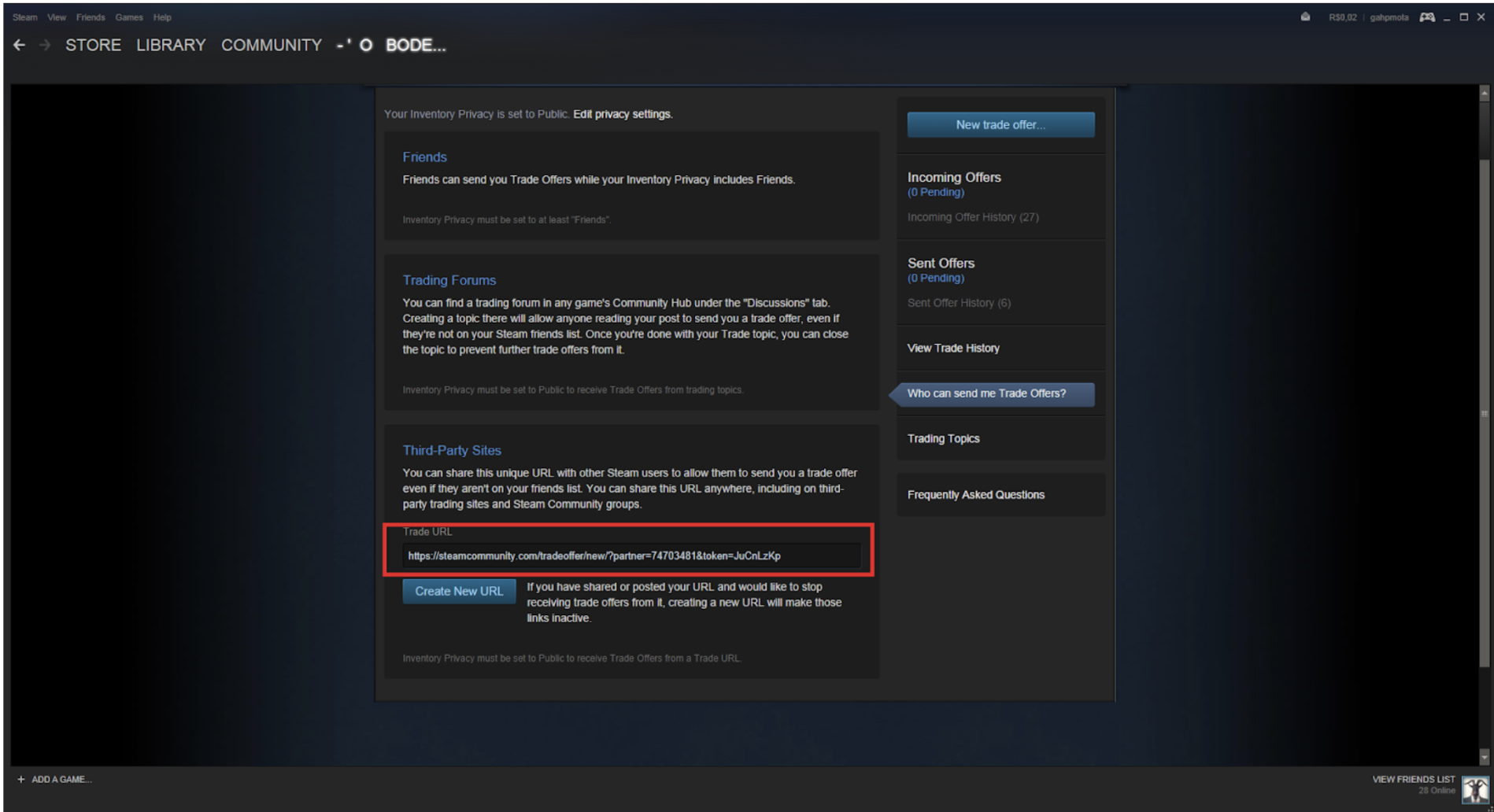
How to find your steam link?
To find your trade URL on Steam, follow these steps:
- Log into the Steam client and open your inventory;
- Click the "Exchange Offers" button on the right;
- Click on "Who can send me trade offers";
- Copy your trade URL to paste into GC.
Also, you can find your trade URL at this link:
http://steamcommunity.com/my/tradeoffers/privacy
Just please make sure that you are logged into the correct Steam
account.